


Performance review software helps organizations move beyond traditional appraisal systems by streamlining evaluations, automating administrative tasks, and enabling continuous feedback. Unlike manual processes, a modern performance appraisal system improves efficiency, enhances data accuracy, and boosts employee engagement with features like goal setting, 360-degree feedback, self-assessments, and analytics for data-driven decision-making. It also ensures compliance through secure record-keeping and integrates seamlessly with HR systems to reduce duplication of work. By adopting the right performance review software like Omni, businesses can build a fair, transparent, and scalable appraisal system that drives employee development, improves retention, and aligns performance with organizational goals.
Performance review software comes in many forms, each designed to meet specific needs. With countless options available today, the sheer variety can be overwhelming. From basic evaluation tools to comprehensive performance appraisal systems with advanced features, finding the right software requires a careful look at what each option offers and how it aligns with your organization’s goals. This guide will help you navigate the choices, highlighting key features, considerations, and recommendations to simplify your decision-making process.
What is a performance review software?
A performance review software is a tool designed to help modern HR teams and managers effectively track and analyze an employee's performance. It serves as a digital appraisal system that streamlines and enhances the entire review cycle by automating the collection of feedback, setting performance goals, and tracking progress over time. Modern performance appraisal systems go beyond traditional paper-based evaluations, offering sophisticated features that transform how organizations manage employee development. This way, you can develop each individual towards their greatest potential and collectively drive the entire team towards accomplishing the organization’s goals.
Read next: Understanding and Implementing Stretch Goals for Employees
What are the benefits of using performance review software?

Improve efficiency
The use of modern performance review software helps to eliminate the traditional approach to conducting and evaluating performance reviews. Unlike legacy appraisal systems that rely heavily on manual processes, digital performance review platforms automate many time-consuming tasks. For example, performance review processes traditionally involve extensive administrative tasks like coordinating schedules and setting reminders. With features like automatic notifications and reminders, employees and managers are alerted about upcoming reviews or tasks, ensuring deadlines are met. This frees HR teams from repetitive tasks so they can focus on what they should do best: managing employees.
Enhance data accuracy
Without accurate data, companies will fail to conduct fair and transparent performance assessments. Their decision-making process will be affected further, causing harm to both individual careers and overall organizational performance. Traditional appraisal systems often struggle with data consistency and accuracy due to manual data entry and storage limitations.
To address these inefficiencies, a performance review software is designed with several key features that ensure data accuracy. The software ensures smooth data collection by automating the gathering of performance metrics, potentially reducing human error associated with manual entry. With the use of a performance review software, you can also limit access to sensitive information, allowing only authorized personnel to edit or view data, which protects data integrity. Additionally, the software has an automated data validation feature that identifies and flags anomalies or missing data, which significantly contributes to reducing errors.
Increase employee engagement
Many performance review systems include tools for continuous feedback and recognition, making it easy for managers to give real-time updates to employees. Research shows that 67% of employees want to have feedback conversations with their manager. But 36% of employees say that they rarely have these questions. Why is there a sudden interest in feedback? This is because employees know that feedback not only helps them improve but also makes them feel recognized and valued, which boosts employee engagement. Modern performance appraisal systems address this feedback gap by providing structured channels for continuous communication between managers and employees. Engaged employees are more motivated and productive, and it can improve retention.
Make data-driven decisions
Employee performance review tools offer analytics and reporting features that facilitate data-driven decision-making.
Advanced appraisal systems collect and analyze data from various sources, like self-evaluations, manager reviews, and peer feedback, to inform appraisal decisions and predict future performance trends. Managers can gain insights into skill and performance gaps and ascertain the areas where employees need targeted training or support. It also helps identify high-performing individuals ready for advancement or promotion. These insights also allow managers to develop a customized training and development program based on each employee's strengths and weaknesses.
Ensure compliance
Employees are legally mandated to keep employee records, including performance records. Performance review software plays a critical role in maintaining compliance by keeping thorough, accessible records of employee evaluations. A well-implemented performance appraisal system ensures that all evaluation data is stored securely and can be easily retrieved for audits or legal purposes. This record-keeping helps organizations follow legal standards and avoid potential disputes. Proper documentation also supports consistency and fairness, which protects both the company and employees.
What are the key features to look for in a performance review software?
If you're thinking of investing in performance review software, it's essential to consider the features that will best support your organization’s goals and improve the employee evaluation process.
When evaluating different appraisal systems, here are some key features to look for:
Goal setting and tracking
This feature allows both employees and managers to create and track goals for monitoring and improving the employees' performance over time. Ideally, it should support SMART goals and enable progress tracking.
360-degree feedback
The 360-degree feedback feature in performance review software provides a comprehensive assessment by collecting feedback from multiple sources—managers, peers, direct reports, and sometimes even clients. This multi-source approach is a hallmark of modern performance appraisal systems, providing a more holistic view of employee performance.
Automated notifications
For performance review software, automated notifications play a crucial role in keeping everyone in the loop throughout the review cycle.
Performance ratings
This is a built-in rating system that helps to standardize evaluations across the organization. Look for software that offers customizable rating scales that fit your organization’s performance criteria.
Self-assessment
Self-assessment options allow employees to reflect on their own performance before the review process. This encourages self-awareness and empowers employees to take ownership of their growth.
Reporting and analytics
This feature provides you with a simple and visual way to identify trends and monitor overall performance. Look for software with customizable reporting options.
Integration with other HR systems
Integration with your existing HRIS or payroll software helps avoid duplicate data entry, improves accuracy, and allows a seamless flow of information, reducing manual work for HR teams. Look for performance review software that can seamlessly integrate with your existing HR systems.
Choosing and Implementing the Right Performance Review Software
Investing in the right performance review software involves a careful evaluation of your organization’s needs, budget, and long-term goals.
Whether you’re upgrading from a paper-based appraisal system or replacing an outdated digital platform, here are some key steps to consider when choosing and implementing performance review software:
1. Evaluate your needs
Does the software support your current goals, budget, and processes? You must clearly define your goals to ensure that the software you choose aligns with your organization’s specific performance objectives. Consider what gaps exist in your current appraisal system and what improvements you want to achieve.
If your goal is to foster a culture of continuous feedback and recognition, then you should opt for a software that offers real-time feedback capabilities and employee recognition systems to boost morale.
If what you're searching for is a tool that simplifies and automates the performance evaluation process, then you should opt for solutions that automate scheduling, reminders, and report generation to save time. The basic idea here is that knowing what you want to achieve helps prioritize necessary features, such as real-time feedback or analytics capabilities.
2. Research and select software
Identify vendors: With so many software options available, how can you determine the best fit? To select a vendor that meets your organization's goals, you must compare different software vendors against one another. Look for vendors with a strong track record and expertise in performance management.
Evaluate vendors based on their experience in developing robust performance appraisal systems and check customer reviews, industry reports, and client testimonials to gauge their reputation. Do they offer robust and comprehensive customer support? How will your team be able to reach the vendor if you experience any challenges? Would it be through 24/7 phone support, email support, or live chat? It is important to assess the level of support you can get before committing to the vendor.
Consider software integration and its user interface: When researching the right software, you should consider how it will seamlessly integrate with your human resources management system (HRMS). A performance software with a user-friendly interface speeds up the adoption process. It makes it easier for managers and employees to navigate and utilize the software accurately.
Request for demos or trials: Before committing to new software, you can request for a demo or trial, which lets you examine the product first-hand. Evaluate its capabilities and functionalities to see if the software delivers as presented.
3. Prepare your organization
Communicate the change and benefits of implementing: To put employees' minds at ease, communicate the purpose and advantages of implementing the new software. Explain how the new performance appraisal system will improve transparency, fairness, and efficiency in the evaluation process, making evaluations more transparent, and support their professional growth.
Provide training sessions: Training sessions facilitate a smooth transition by helping managers and employees become familiar with the software’s features and functions.
Address any concerns or questions: Take note of any concerns or questions that may arise during the transition. Provide open channels for feedback and ensure that all questions are answered thoroughly, fostering a supportive environment for the change.
4. Configure the software
Tailor the software to your needs: You can tailor the software to your needs during the configuration process by adjusting settings to match how your organization does performance reviews. This includes setting up specific evaluation criteria and feedback timelines. You can also control who sees what by changing user roles and permissions, and you can customize notifications to keep everyone updated on deadlines.
Import existing employee data: Carefully transfer data such as performance reviews, employee info, or goals from old software or spreadsheets and put it into the new software.This helps keep all important information in one place so managers and employees can see past records, track progress, and continue where they left off without losing any history.
Set up workflows for performance reviews, goal setting, and feedback process: Create an easy-to-follow process for each part of performance management. Set up steps that guide managers and employees through everything—from setting goals to giving constructive feedback and finishing performance reviews. Automated workflows help everyone stay on the same page and meet deadlines.
5. Test run the software
Conduct a pilot test: Select a small and diverse group to test the software. Involve stakeholders and individuals from various departments and roles during this process. Use employee surveys and interviews to gather insights during the test.
Collect feedback and refine: Use the insights to make necessary adjustments and improve the software’s usability and functionality.
6. Roll out
Offer additional support and training: It is important to provide adequate training even after the initial rollout. Ongoing support helps users feel comfortable with the software and addresses any questions or issues that arise.
7. Monitor and evaluate
Lastly, continuously monitor how the software is being used and evaluate its effectiveness. Regularly check in with users to gather feedback and make improvements as needed to ensure it meets the organization’s goals.
Top 4 Performance Review Software for 2025
To help you narrow your options, we've selected four top performance review software solutions for 2025. These appraisal systems combine the latest features, flexibility, and ease of use, giving you a head start in finding a tool that aligns with your organization’s goals.
Omni
Omni HR is one of the most comprehensive employee performance management solutions available, built for global, modern enterprises in APAC that need local compliance, scalability, and an intuitive interface.
Customizable review cycles
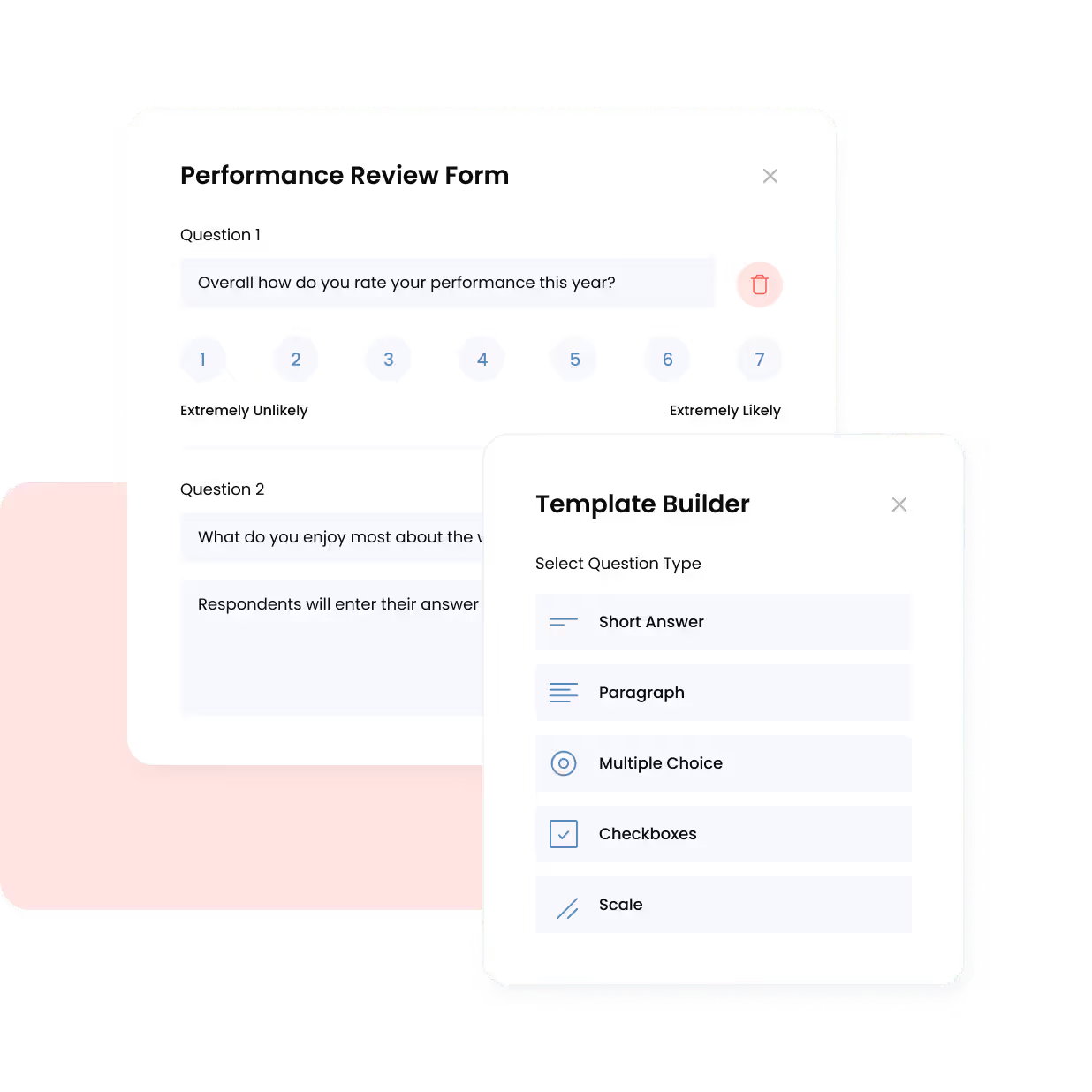
Unlike rigid legacy systems, Omni’s performance review software supports annual and continuous review cycles using customizable templates. Built-in 360-degree feedback and calibration tools help ensure a balanced and unbiased review cycle, while integrated goal tracking and performance scoring keep teams aligned on company objectives and priorities.
Automated reminders and real-time completion tracking make it easy to keep the process on schedule, empowering your team to design a review framework that reflects your unique business needs, whether that’s quarterly project teams, independent contractors, or company-wide performance.
Try Omni’s interactive performance demo
Seamless, integrated feedback
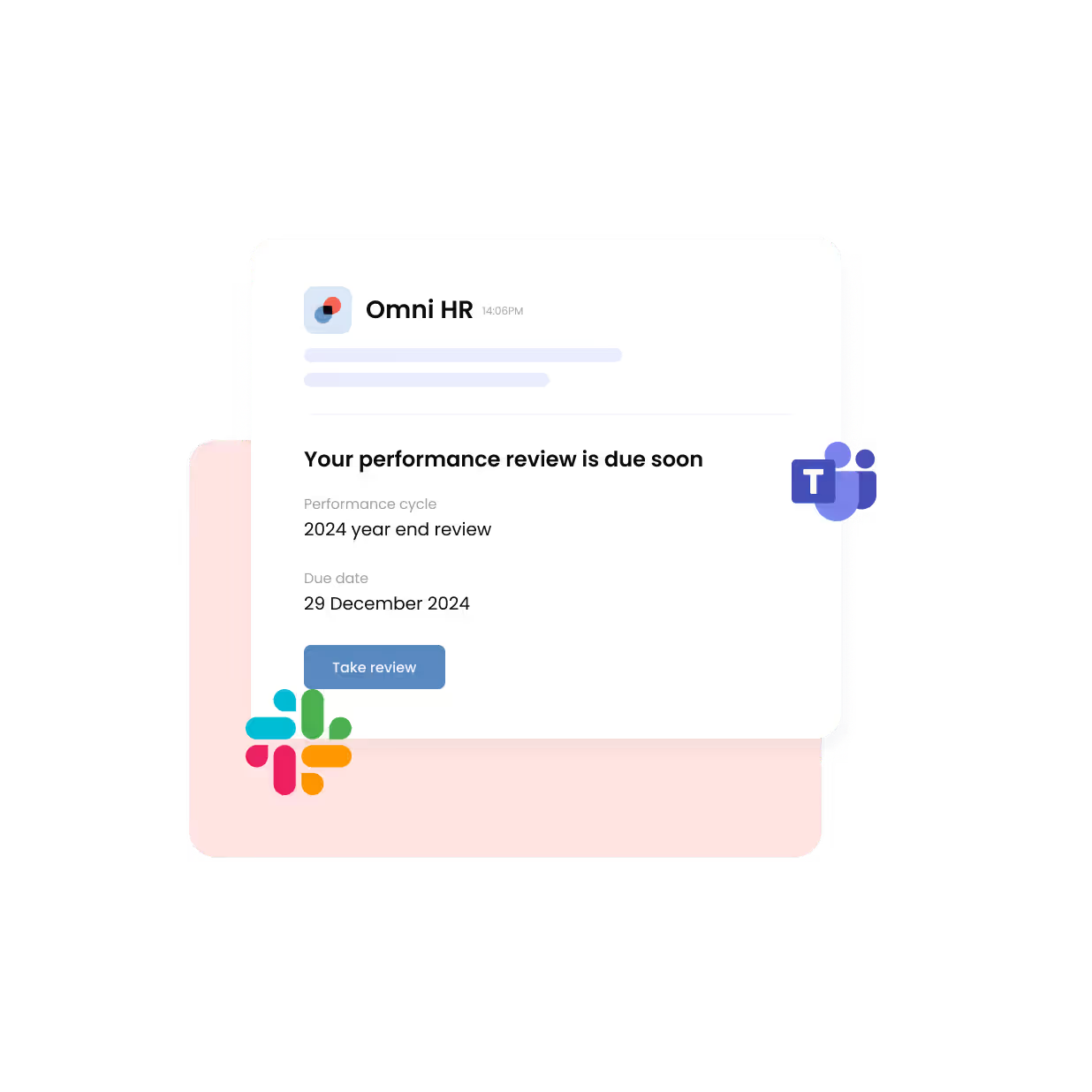
As one of the leading employee feedback platforms, Omni integrates with existing communication platforms such as Slack and Microsoft Teams, empowering your HR team to send automated reminders and track progress instead of chasing people manually. With this, you can ensure timely, consistent feedback while keeping the entire review process within the tools that your teams already use in their day-to-day.
"What's great about Omni is that I can easily see from my end those who have not completed their reviews. With this information, I can either reach out to the employee or their managers to get them to complete it within the approved timeframe."
— Rhoanne Therese Jamelo, HR Generalist at ScaleForge
Learn how: ScaleForge Cut Performance Review Completion Time by 75% with Omni
Actionable analytics
Omni’s advanced reports and analytics turn performance data into strategic workforce insights. HR leaders can analyze review completion rates, track engagement scores, and correlate performance trends with retention, training, and compensation data, all within a single dashboard.
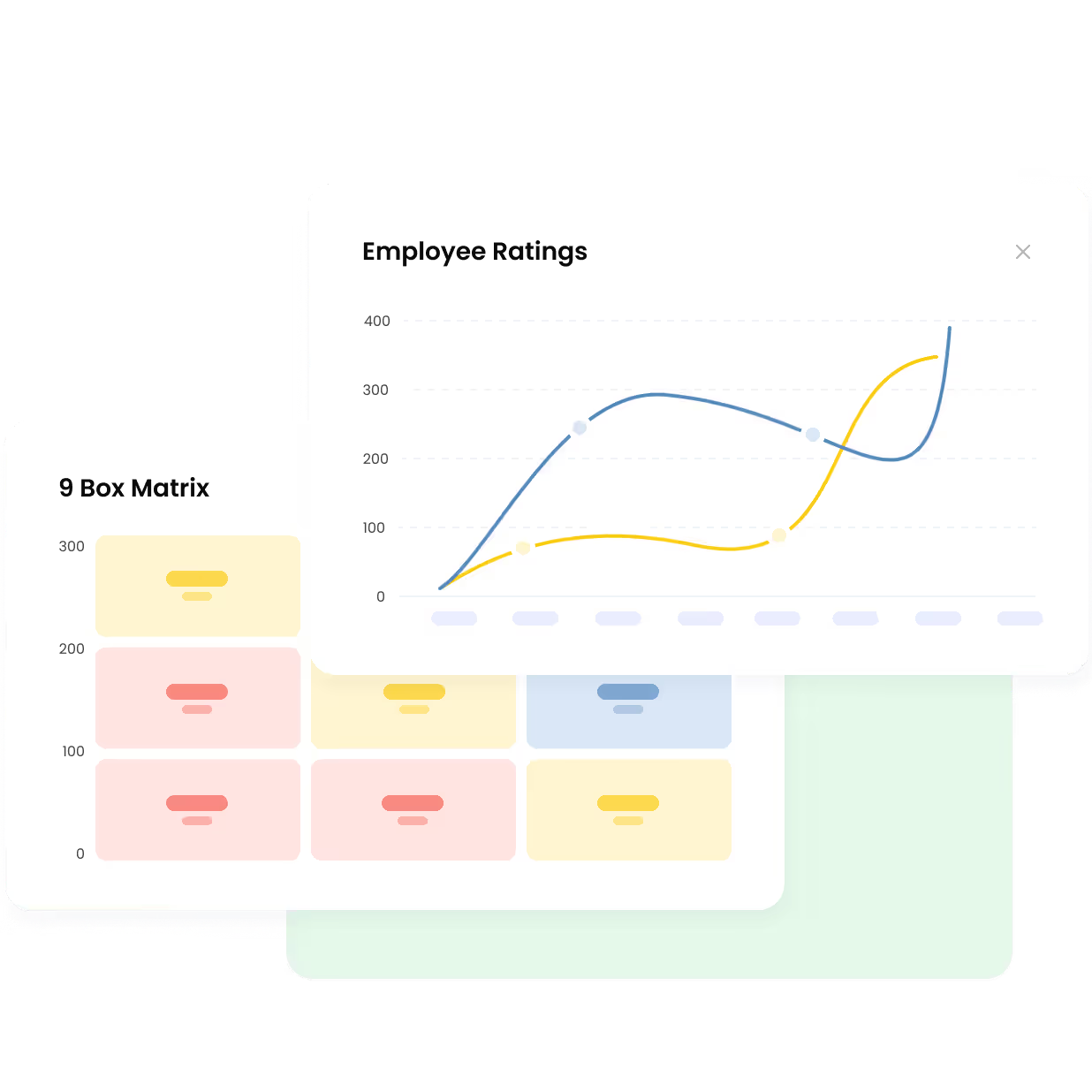
Export-ready reports ensure compliance with audit requirements and make data-driven workforce planning effortless, especially for growing teams.
All-in-one HR experience
More than just an employee performance management system, Omni unifies other core HR processes such as onboarding, payroll, time-off, attendance, and compliance tools, delivering a unified HRIS across the entire employee lifecycle.
Designed for modern teams, Omni supports multi-country payroll in 190+ countries, local compliance for markets like Singapore, Malaysia, and Hong Kong, and same-day local support within APAC time zones. Automated review cycles, 360-degree feedback, and integrated reminders keep performance conversations timely and consistent, while award-winning usability and mobile access encourage adoption rate since day one.
Bamboo HR
Bamboo HR is suitable for small to midsize businesses looking to improve their overall performance process. The software facilitates employee evaluations and goal-setting. It also supports continuous feedback and performance improvement.
Key features include:
- Goal setting
- Self-assessment
- Automated notifications
Workday
Workday is best suited for medium-to-large businesses, offering a streamlined performance review function that delivers actionable insights. Workday’s features focus on comprehensive performance tracking with a variety of feedback and evaluation tools.
Key features include:
- Goal setting
- Real-time feedback
- Customizable review templates
- Rating and Calibration
Monday.com
Monday.com provides a customizable work management platform suitable for various business needs, including performance management. It supports creating tailored workflows, though specifics around performance management tools should be explored further.
Key features include:
- Goal and task tracking
- Customizable dashboards for team visibility
- Automations for recurring tasks and notifications
- Integration with tools like Slack, Microsoft Teams, and Zoom
- Time tracking and workload management
Unlocking the Power of HR Software for Performance Reviews
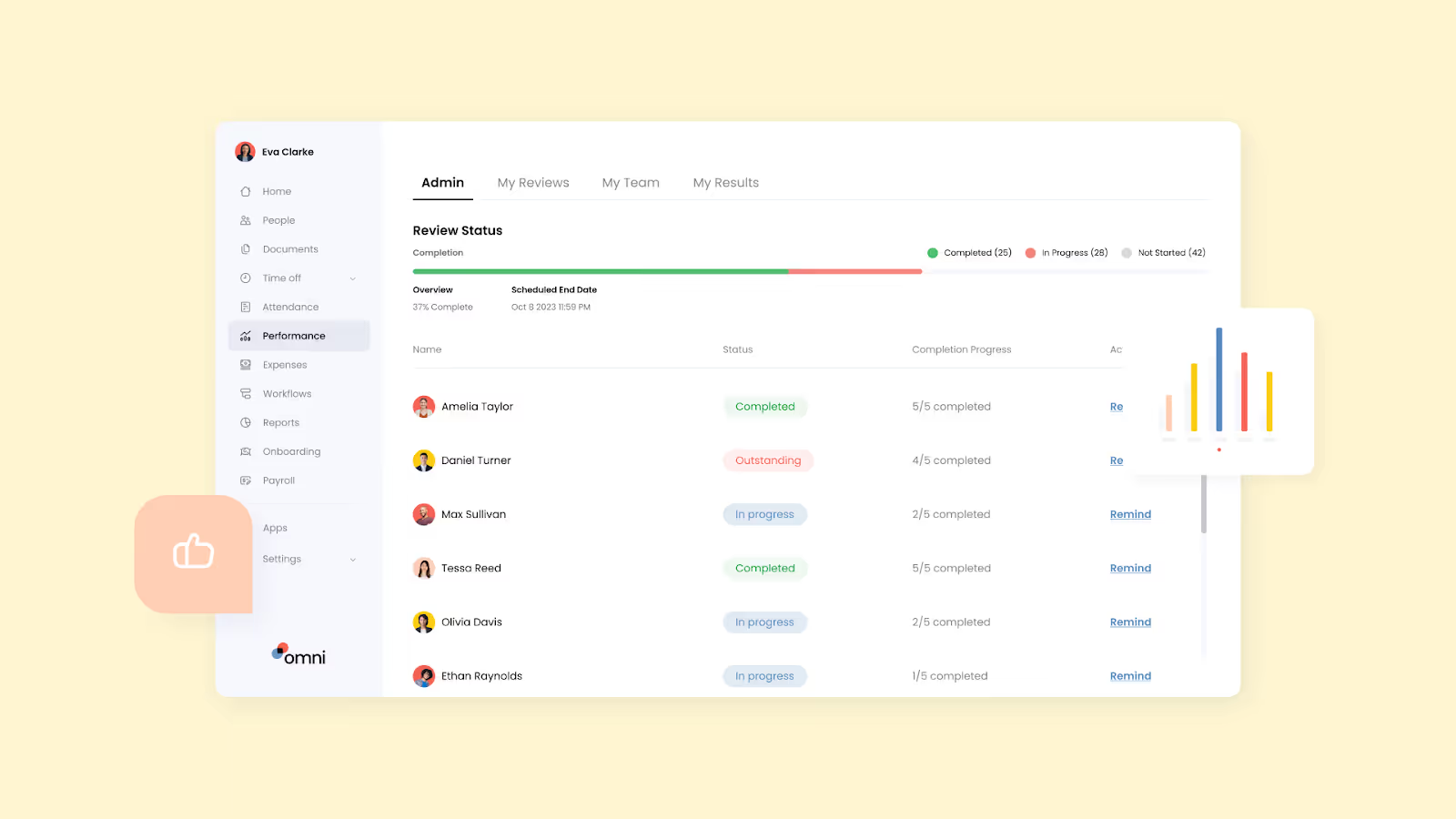
Performance management requires thoughtful and strategic actions to garner employee engagement and buy-in. Leaders who aim to deepen their impact can benefit from performance review software to help them automate and streamline their efforts, helping them free up valuable time to focus on the more strategic components of their role.
Omni offers a comprehensive set of tools to streamline and help you carry out the essential tasks of performance management. By automating the entire end-to-end employee lifecycle, Omni unlocks the ability for managers and leaders to support their employees without sacrificing their limited, valuable time on manual or repetitive tasks.
To find out more about why Omni is the right performance review software for your team, book a product tour with us today!
Not ready to leverage automation but still want to boost your performance management processes? Download our free Total Performance Review Kit, complete with a variety of templates, guides, and best practices to get the most out of your next performance review cycle.
Full HR & Payroll coverage for Philippines, Singapore, Malaysia, Hong Kong, and Indonesia. Each market has local support teams and built-in compliance features.
Starting at $3/employee/month for core features. Volume-based discounts are available for growing teams. Book a demo for custom pricing.
Enterprise-grade security with ISO 27001, GDPR certifications, and local data residency options.
4 weeks average. Includes free data migration, setup, and team training. No hidden fees.
Built specifically for Asia with local payroll processing, same-day support in Asia time zones, and 40% lower cost than global alternatives.


.avif)

