The easiest way to share, approve and track expenses


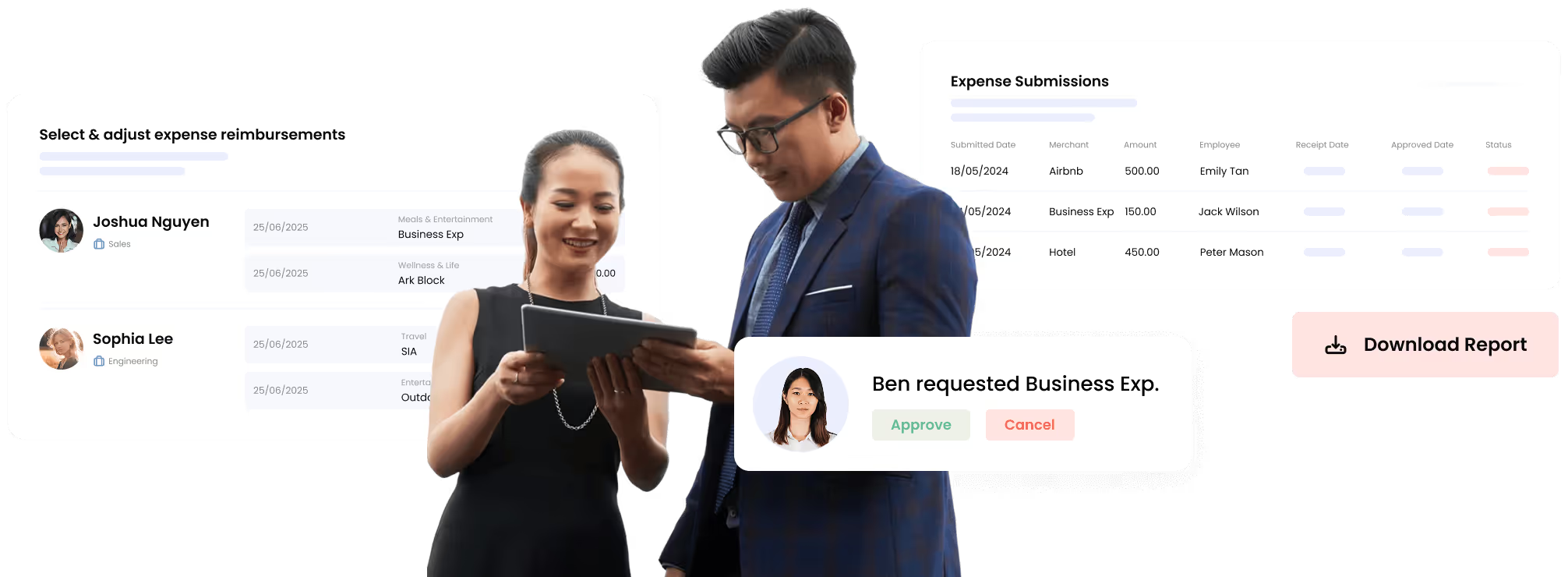








Expenses Captured Instantly
Employees snap a receipt photo on their phone and submit expenses as they happen, so there are no lost receipts and no waiting to get home.

“We are able to optimize our HR functions by assigning allowances directly to the project and function in Omni.”
.avif)


Approvals Don't Get Stuck
Managers approve expenses from email or mobile with one tap, so approvals that used to take days now happen instantly.
Expenses Sync to Payroll Automatically
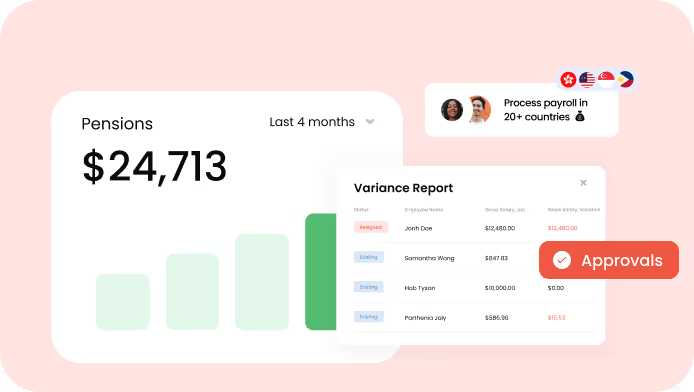
Approved expenses sync directly to payroll automatically, eliminating manual re-entry and errors so employees get paid the right amount on time.

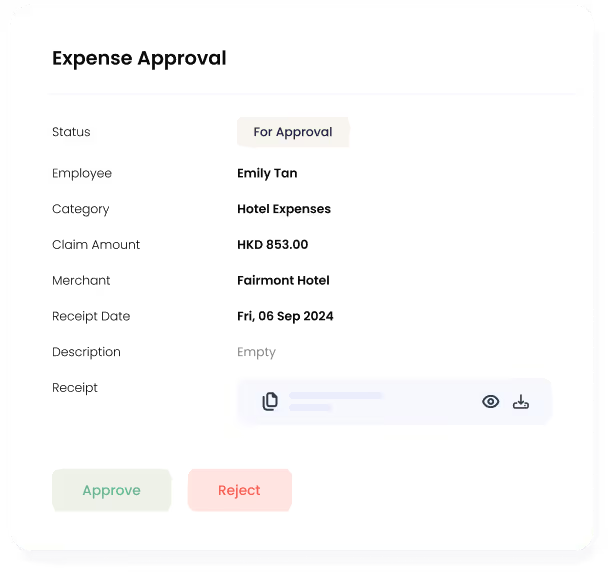



Design Policies That Fit Your Business
Set custom spending limits by team. Add project codes to expense forms so you know where money goes. Your policies work for you.
We make HR easy – companies all over Asia agree


ONBOARDING TIME

.avif)
Reasons To Love Omni HR

COMPLIANCE LEADERS IN ASIA

ALL-IN-ONE MODERN HRIS

LOCAL AWARD-WINNING SUPPORT

AUTOMATION + INTEGRATION

SELF-SERVICE & MOBILE

BANK-GRADE SECURITY

Our customers love us!
(you will too)
Why These Asian Businesses Are Switching to Omni HR?
















Omni's automated workflows ensure consistent onboarding across all regions, eliminating human errors as we scale.


I love that every single functionality is flexible so we can customize anything to meet the unique needs of our company. Working with Omni is an amazing experience, I feel that they’re more like our partners than our HRIS.


Omni's data insights helped us identify retention issues early and take action, transforming how we support our teams.


Omni takes away the stress of following up on crucial HR tasks and helps us execute seamless workflows. As a team, we’re able to better plan our time and focus on the human element of HR to best support our employees.


The automated graphs help us to easily see the growth of our company and monitor our team’s time off for seamless schedule management. We could feel the improvement in our HR functions instantly.


Omni is a wonderful tool that has made our HR life easier. It allows us to easily manage all the necessary parts of our People process and have more time for impactful initiatives.


Since switching to Omni, our HR processes have become significantly more efficient. The user-friendly interface and automated features have saved us considerable time and reduced errors.


I’m blown away by Omni’s commitment to build a better HR software to help businesses resolve their HR challenges. For any fast-growing companies out there, Omni is the HR system for you.

More features for you
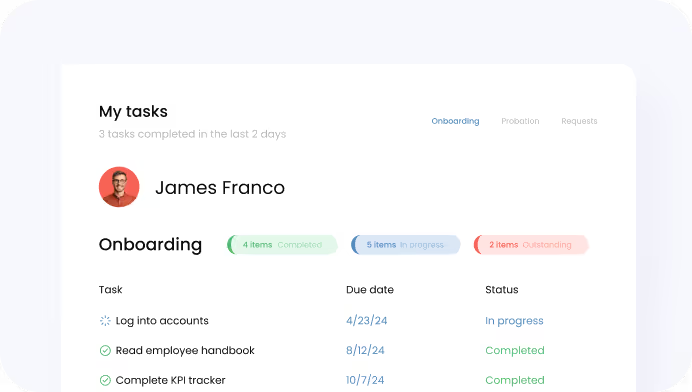
Employee Onboarding

Frequently Asked Questions
(FAQs)
Expense management in HRIS (Human Resources Information System) is software that automates employee expense submissions, approvals, and reimbursements with direct integration to payroll. Omni's expense management system includes customizable expense policies, mobile receipt capture, multi-level approval workflows, multi-currency support for 80+ currencies, custom expense forms for project tracking, and automated expense-to-payroll integration—eliminating manual expense report consolidation and data entry errors.
Yes, Omni's expense management system allows you to create multiple expense policies with custom spending limits, eligible categories, and reimbursement rules. You can assign different policies by department, job level, location, or individual employee. Each policy can specify category-specific limits, receipt requirements, and approval thresholds.
Yes, Omni's expense management system supports expense submission in 80+ currencies. Employees can submit expenses in the currency they actually paid, and the system automatically converts amounts to your home currency for consolidated tracking and reporting. This is particularly valuable for companies with teams traveling across Asia Pacific or managing international expenses—employees claim in local currency while finance sees everything in a single currency for budget analysis.
Yes, Omni's expense management system allows you to customize expense submission forms to capture any information your business needs. Add custom fields for project codes, cost centers, client names, department IDs, campaign references, or any other data points you need to track. When employees submit expenses, this information is captured and available in reports—allowing you to analyze spending by project, client, or any other dimension important to your business.
Omni's expense management system supports customizable approval workflows including single-approver (direct manager only), multi-level approvals (manager then finance), or conditional routing based on expense amount or category. You can configure automatic approval for amounts below a threshold while requiring additional sign-off for larger claims. Approvers receive notifications, can review receipts and details directly in the system, and approve or reject with one click from desktop or mobile.
Yes, Omni's expense management system includes a mobile app [available for both iOS and Android] that allows employees to submit expenses and capture receipt photos on the go. Employees can snap a picture or screenshot of the receipt immediately after purchase, add expense details (amount, category, description), attach the receipt photo, and submit for approval—all from their phone. This eliminates lost receipts and ensures timely expense submission without requiring employees to wait until they're back at a computer.
Omni's expense management system integrates directly with Omni's payroll module. When expenses are approved, they automatically transfer to the next payroll cycle for reimbursement—eliminating manual data entry and consolidation. Finance teams can review approved expenses before payroll processing, and the system maintains audit trails showing which expenses were included in each payroll run. This integration reduces payroll processing time by 75% and eliminates costly data entry errors.
Yes, Omni's expense management system allows you to configure custom fields on expense submission forms to capture project codes, cost centers, client names, or any other tracking dimensions. Once captured, you can generate reports showing spending by project, department, cost center, or any custom field you've configured. This gives finance teams complete visibility into where money is being spent and helps with project profitability analysis and budget allocation.
Yes, Omni's expense management system includes flexible permission settings that allow designated users to submit expenses on behalf of other employees. This is particularly useful for executive assistants submitting expenses for executives, HR managers handling expenses for new hires, or finance teams processing batch expenses. Permissions control who can submit on behalf of others while maintaining audit trails showing who submitted each expense claim.
Omni HR makes growingand managing teams effortless.