.png)
Summary. HR mobile app adoption is critical for hospitality teams where frontline employees lack desk access, rotate across shifts and outlets, and are hired in high volumes during peak seasons. Desktop-based HR systems and paper workflows create onboarding delays, payroll errors, privacy risks, and heavy admin work that compound under operational pressure. A mobile-first HRIS app built on cloud HR infrastructure solves these challenges by putting onboarding, payslips, timesheets, scheduling, policies, and approvals directly on employees’ phones. By enabling self-service access, real-time data capture, and role-based permissions, modern cloud HR platforms like Omni HR help hospitality operators onboard faster, improve payroll accuracy, protect employee data, and scale workforce management across outlets without adding complexity.
Hospitality workforces are built around frontline staff who rarely sit behind their desks or check company emails. They often rotate between shifts, outlets, and roles, and many may only stay with an employer for a few months.
Yet many HR processes still rely on desktop-only systems or paper workflows that frontline workers often struggle to access on the go. This can create onboarding delays, payroll errors, communication gaps, and increased privacy risks, while adding to the administrative workload of HR teams already dealing with high turnover.
This is why an HR mobile app is no longer a “nice to have” but an operational backbone that connects onboarding, scheduling, timesheets, payroll, and employee communication directly to the palm of each worker’s hand.
In this article, we explore what hospitality workers actually need from an HRIS app and how mobile-first cloud HR platforms like Omni HR can help you streamline workforce management without adding complexity.
Why Hospitality Needs a Mobile-First HRIS
Hospitality is fundamentally different from office-based industries. Any HR system that ignores this reality creates more work. The reality of hospitality workforces includes:
- Most frontline staff do not have desk access.
- Personal mobile phones are the primary communication tool.
- Employees move between shifts, outlets, and roles frequently.
- Seasonal hiring surges require rapid onboarding at volume.
In this industry, HR systems must meet employees where they already are. That place is rarely a computer. It is their phone, and that’s where desktop-only HR systems fail.
Traditional HR platforms assume stable employment, work emails, and consistent device access. In hospitality, those assumptions break down quickly. Here are some common issues hospitality teams run into without a mobile-first HR system:
- New hires cannot complete onboarding before their first shift because desktop-only systems and non-mobile HRIS apps are inaccessible off-site.
- Payslips are delayed or shared through insecure channels when staff lack access to an HR mobile app.
- Timesheets are submitted late or on paper, leading to payroll errors in cloud HR systems that rely on accurate input.
- HR teams spend excessive time chasing forms and approvals across outlets because HR workflows are disconnected and not mobile-friendly.
Each of these problems compounds during peak seasons, when hiring volume increases and operational pressure is highest.
An effective HR mobile app bridges this access gap by enabling frontline workers to manage HR tasks independently, saving time for both staff and HR teams.
6 Must-Have Features for Your HR Mobile App
1. Mobile onboarding for high-volume hiring
During peak hiring, slow onboarding can stall productivity before new hires even start. A mobile-first HR mobile app allows workers to upload IDs, sign contracts, and complete profiles on their phones ahead of day one.
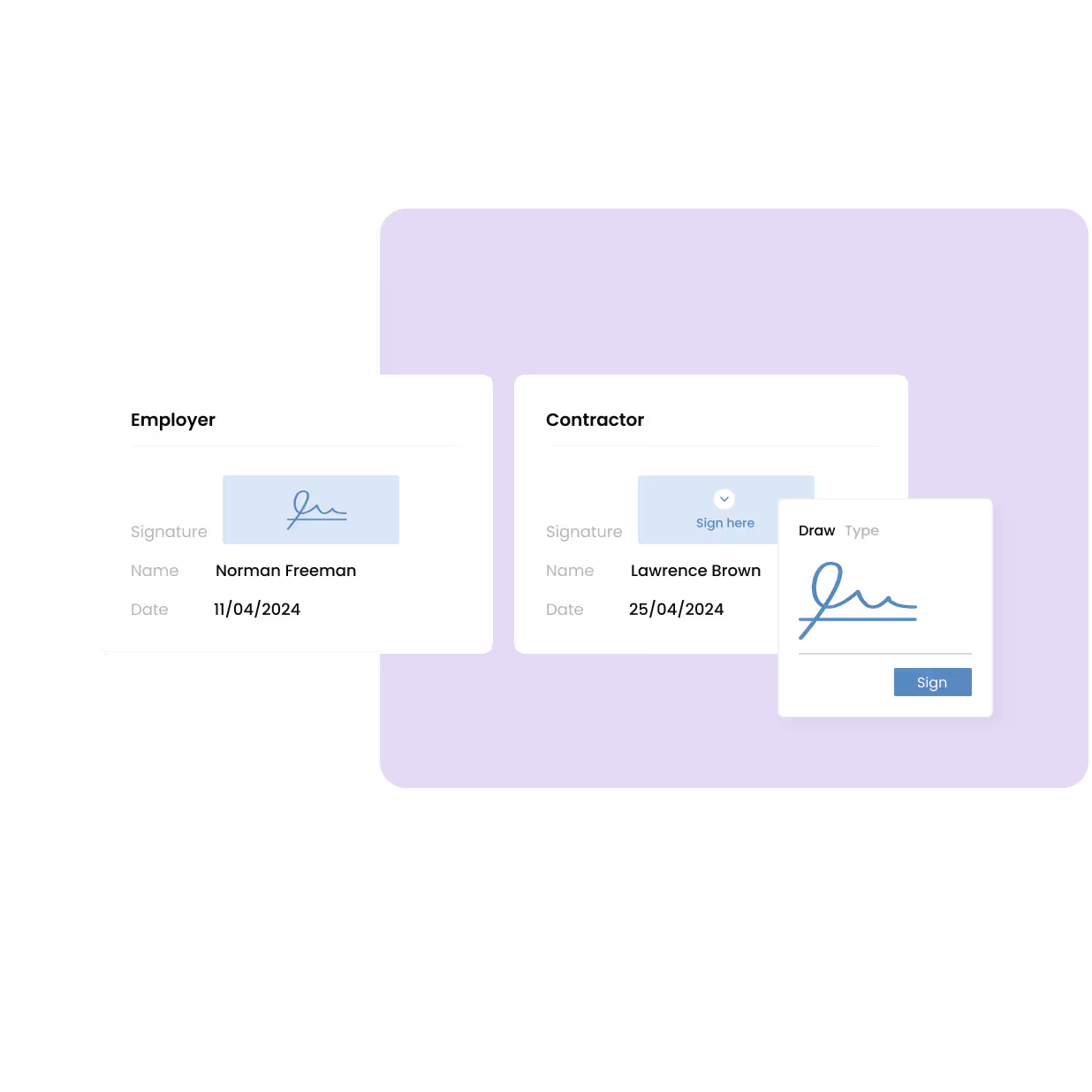
When these steps sit inside your HRIS app, easy upload of documents, e-signature functionality, and onboarding workflows run smoothly in the background, helping teams bring large volumes of staff on board without delaying shifts or payroll readiness.
2. Mobile payslips and secure profile access
Delayed payslips or information shared through informal channels increase privacy risks and create repeated follow-ups for HR teams. A good mobile app will ensure employees can access sensitive information securely, without relying on printed copies or shared devices, all within an HRIS app.
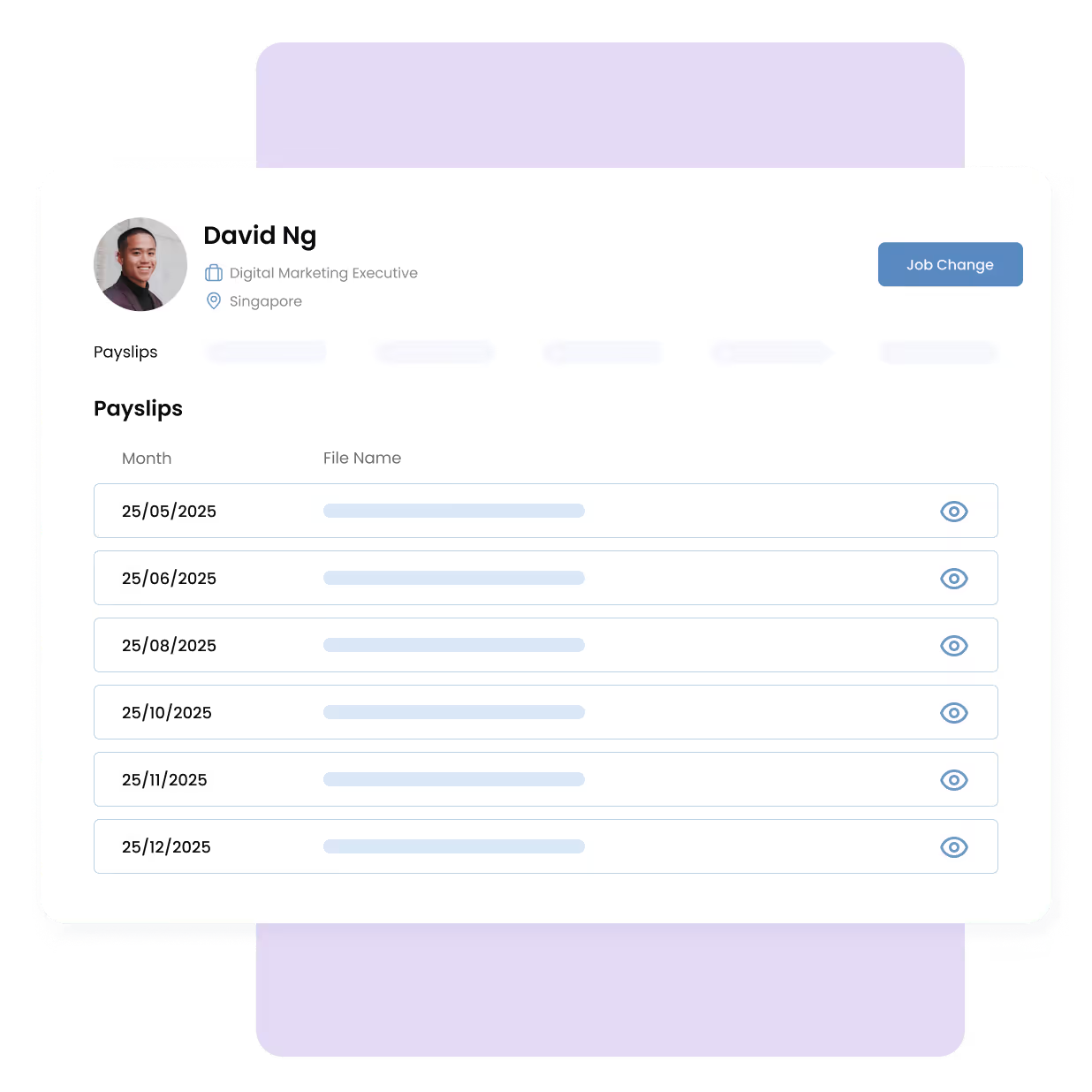
Workers need:
- Instant access to payslips on their phones
- Visibility into pay history and tax records
- Secure storage of personal information
This is enabled through digital payslip release and role-based access controls that prevent unauthorized data exposure.
3. Digital timesheets and shift tracking
Tracking hours shouldn’t rely on memory or paperwork, especially when teams move across shifts and locations. When time data is captured inconsistently, payroll errors follow. A connected HRIS app gives teams a reliable record of hours worked, with approvals handled as shifts are completed.
Once this information feeds directly into payroll, discrepancies are caught earlier. Omni’s digital timesheets help reduce rework and keep payroll processing accurate for fast-moving teams.
"Omni allows us to extract accurate data, which makes it a great platform for timekeeping and payroll."
— Iron Mike Minguez, HR Admin Assistant at Dev Team
4. Leave requests and schedule updates
In shift-based teams, timing matters as much as availability. When leave requests are buried in chats or handled too late, schedules break down, and coverage gaps appear. Giving employees a simple way to request time off and check shifts on their phones keeps expectations clear on both sides.
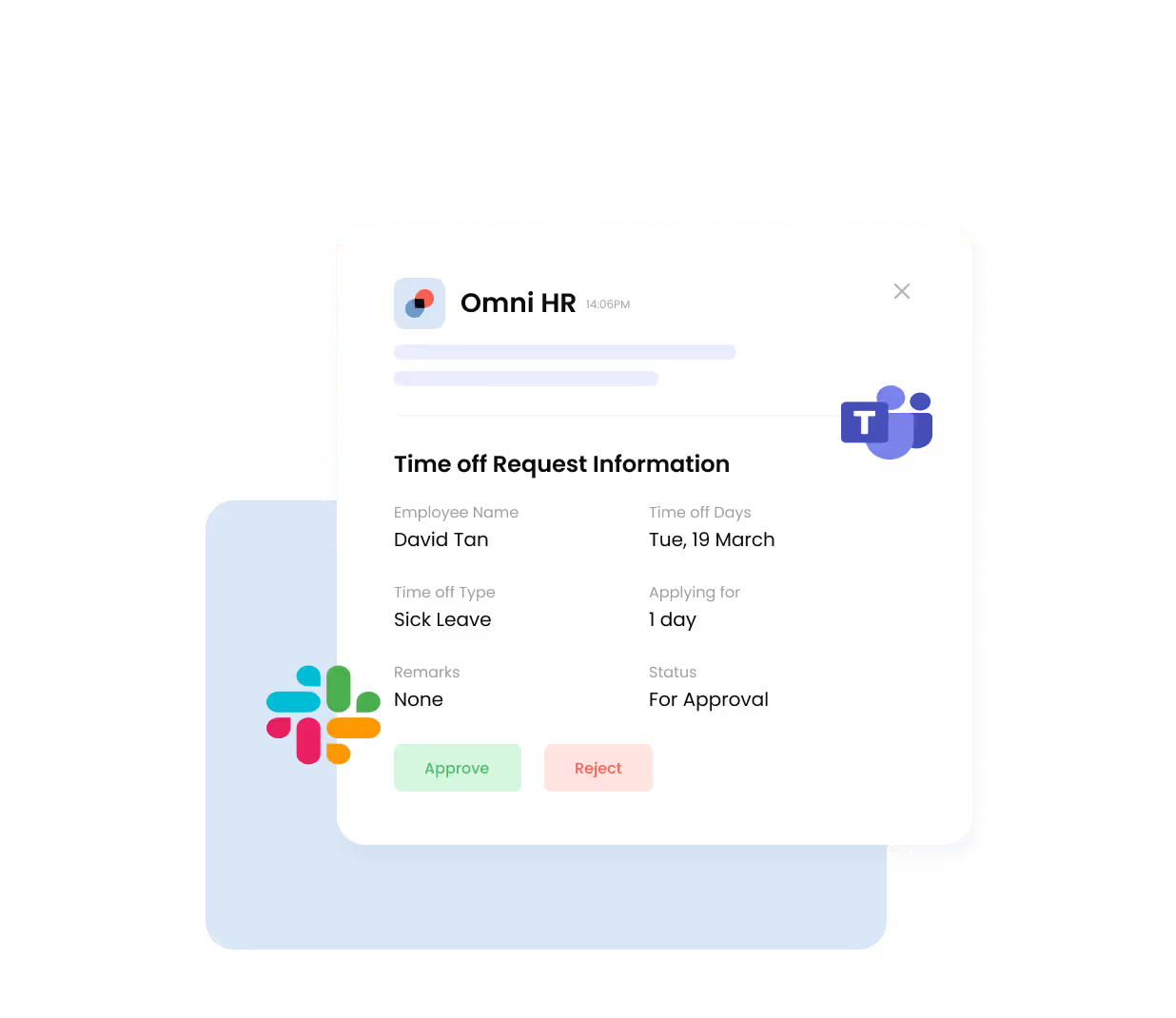
Your HR mobile app should be able to give workers one-tap leave applications, shift schedules on mobile, and real-time notifications. With a self-service portal and mobile alerts, a cloud HR system can reduce confusion. Omni HR also integrates seamlessly with Slack and Microsoft Teams, allowing managers to approve time-off requests on the go.
5. Policy acknowledgements and training access
Consistency breaks down when policies and training rely on memory or passing comments, leading to low awareness and inconsistent training. New hires miss updates, standards vary by outlet, and managers assume alignment that isn’t there. Centralizing access through an HRIS app keeps information consistent while reducing repeated explanations.
Employees should be able to:
- Open policies and training materials directly on their phones
- Acknowledge key documents with one tap
- Revisit guidance when questions come up on shift
With mobile HR tools like Omni, policy distribution and training tracking sit in one place, making it easier to confirm awareness without chasing confirmations across teams.
6. Secure data access for managers
As teams grow across outlets, shared spreadsheets and open folders become a liability. Sensitive employee data is easily overexposed, and managers often see more than they need or less than what’s required to act quickly. A structured cloud HR setup replaces this with controlled access and clearer oversight, showing managers:
- Access is limited by role and outlet, not one-size-fits-all permissions
- Mobile dashboards to oversee shifts and staffing status
- Clear visibility into onboarding progress and payroll readiness
Within a modern HRIS app, role-based permissions and employee dashboards help managers stay informed without putting employee data at risk. Omni supports this by keeping access intentional, auditable, and easy to manage as teams scale.
HRIS Selection Framework for Hospitality Teams
Phase 1 — Workforce Assessment
Before comparing vendors, hospitality teams need clarity on how their workforce operates day-to-day.
Key questions to consider:
- Volume of seasonal hiring: how many employees are onboarded during peak season, and how quickly do they need to be integrated into payroll?
- Shift complexity: Are employees rotating across multiple shifts, locations, or job roles within a short period?
- Number of outlets: Does workforce data need to be segmented based on outlet, brand, or region without admin work?
This helps you identify the baseline requirements for HR mobile app access, data visibility, and HRIS app scalability. Cloud HR platforms that assume stable, desk-based employment modules often fall short once these realities are mapped out.
Phase 2 — Feature Evaluation
Once workforce needs are clearly defined, the next step is evaluating whether the HRIS app can support frontlin execution, not just HR reporting.
Hospitality-ready platforms should demonstrate strength in:
- Mobile onboarding: New hires can complete forms, upload IDs, and sign contracts on their devices before their first shift.
- Payslip delivery: Secure, mobile access to payslips and pay history reduces privacy risks and HR follow-ups.
- Digital timesheets: Time tracking should feed directly into payroll without manual reconciliation.
- Scheduling integration: Leave requests, shift visibility, and approvals should work together instead of being on separate tools.
Omni’s cloud HRIS is built around these workflows, connecting onboarding, time tracking, payroll, and employee self-service in one platform. This reduces handoffs between systems and helps HR teams maintain accuracy even when hiring and turnover spike.
Phase 3 — Pilot Testing
Feature lists only go so far. Usability determines adoption.
A short pilot test is important to help answer critical questions like:
- Can staff complete tasks without training sessions?
- Are approvals fast and intuitive on mobile?
- Does the system reduce, rather than add to, daily admin?
Omni is designed to support rollouts without heavy configuration, allowing teams to validate usability. Our dedicated implementation team also works closely with you to ensure success every step of the way.
Phase 4 — Scaled Rollout
Once validated, rollout success depends on widespread adoption, not just activation.
Effective rollouts should focus on:
- Manager training: Ensuring supervisors understand the approval process, access levels, and dashboards.
- Mobile adoption onboarding for staff: Clear instructions for downloading the HR mobile app, logging in, and completing key tasks from day one.
Cloud HR platforms like Omni provide hospitality teams with fast rollout, ongoing scalability, and minimal infrastructure needs.
Create a Mobile-First Future for Your Moving Workforce
Hospitality operators that rely on desktop HR systems struggle with:
- Slow onboarding cycles that delay shift readiness.
- Payroll admin waste caused by manual reconciliations.
- Increased privacy risks from shared devices and informal data sharing.
- Shift communication breakdowns during peak periods.
Mobile-first cloud HR platforms change this equation by aligning HR processes with how hospitality teams actually work.
With Omni HR, operators can:
- Onboard employees up to 5x faster during peak season
- Protect staff data with role-based permissions
- Deliver mobile payslips instantly
- Automate payroll and timesheet admin
By putting HR access directly into employees’ hands, hospitality teams reduce friction for frontline staff while giving HR and managers a clearer view across shifts, outlets, and hiring cycles.
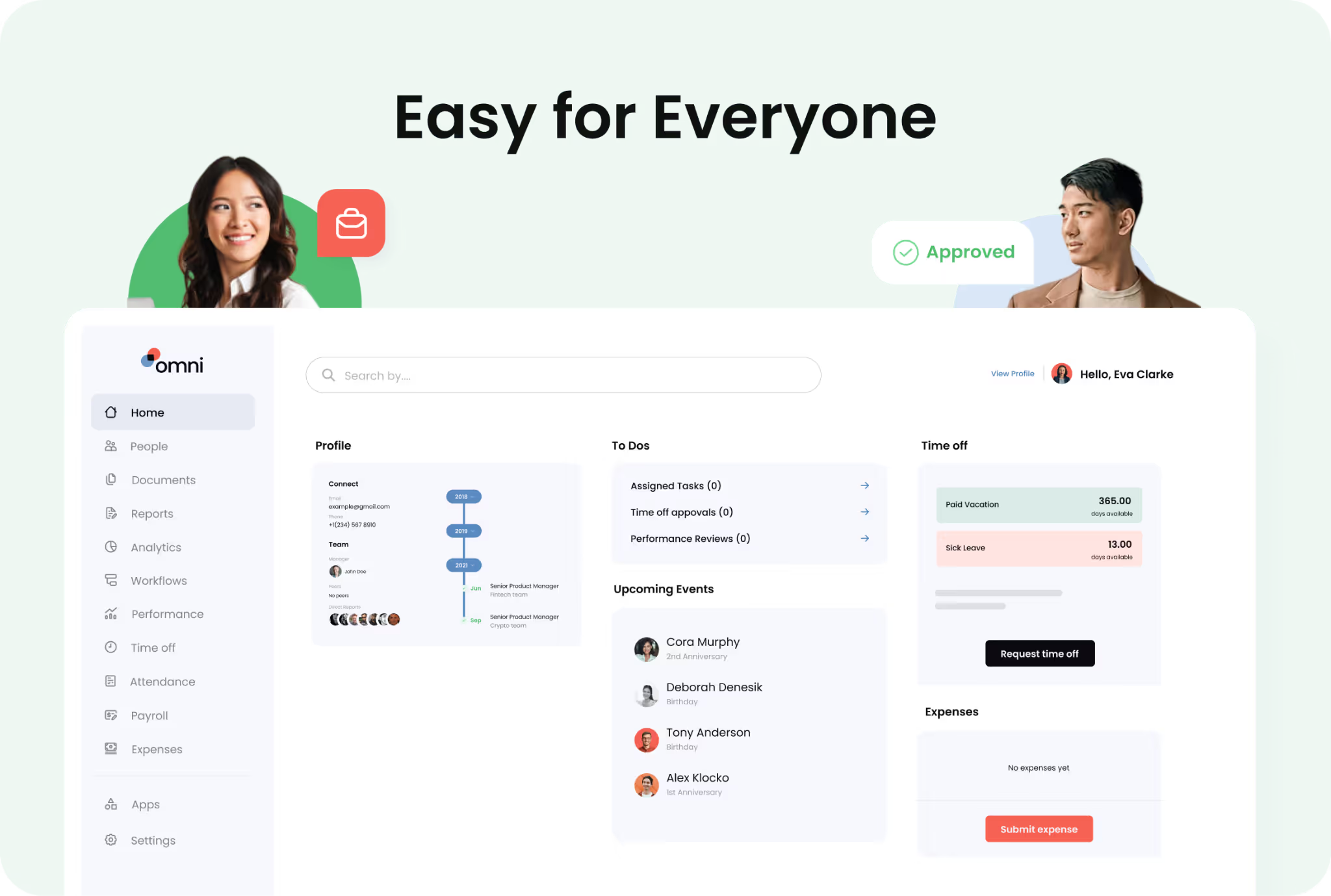
Explore how an HR mobile app like Omni can transform your workforce management. Book a demo with our team today and see it in action.
.png)


.png)