.png)
Summary. Hiring male employees in Singapore means understanding how National Service (NS) obligations can affect payroll accuracy and compliance. NS Pay includes NSF Pay, NS allowance, SAF Pay, and Make-Up Pay (MUP), ensuring NSmen are fairly compensated when they attend reservist training or other National Service Singapore activities. For HR teams, managing NS Pay correctly is crucial to avoid payroll discrepancies, CPF miscalculations, or missed reimbursement deadlines on the NS Portal Login. With Omni’s integrated payroll system, HR teams can automate NS Pay calculations, track MUP submissions, and sync CPF and tax data seamlessly, reducing manual effort and ensuring full compliance with OneNS requirements.
Hiring male employees in Singapore often comes with the responsibility of managing their National Service (NS) or reservist obligations. When they’re called up for training, it can affect payroll calculations and sometimes lead to under- or over-payments if not handled correctly.
Understanding NSmen Make-Up Pay is key to staying compliant so your company and employees are fairly compensated. In this guide, we’ll explore how NS Pay works, from eligibility and claims submission to its impact on payroll and CPF contributions.
Understanding NS Pay
NS Pay is the allowance all male Singaporean citizens and second-generation permanent residents receive from the government while fulfilling their national service duties, such as Operationally Ready National Service (ORNS) or In-Camp Training (ICT). It’s paid to ensure NSmen don’t lose their civilian income while attending ORNS activities and comprises two components:
Service Pay
Service Pay is the full-time NS allowance that employees receive during their reservist training. It’s set at a minimum of S$1,600 per month (base NS Pay), and pro-rated according to the duration of their ORNS activity. For activities lasting four hours or less, they’ll receive half-day Service Pay. This allowance is processed automatically; NSmen don’t need to submit any claims for it.
Make-Up Pay (MUP)
Make-Up Pay (MUP) ensures NSmen don’t lose income when they attend ORNS activities. It covers the difference between their civilian income loss and their Service Pay for the training period. MUP can only be claimed when training time overlaps with working hours, as the Ministry of Home Affairs (MHA) doesn’t compensate for income lost outside training hours.
Both employed and self-employed NSmen (including ACRA-registered directors) can claim MUP if they lose income due to training. Like service pay, sessions lasting four hours or less will receive half-day MUP.
SP and MUP don’t apply if the NSman:
- Attends a self-initiated medical review.
- Attends more than 10 NS Fitness Improvement Training (NS FIT) sessions or makes more than three Individual Physical Proficiency Test (IPPT) attempts within their annual IPPT window.
- Is a civil servant or statutory board employee, unless their ORNS activity is entirely outside their regular working hours.
- Attends mobilizations, IPPT, and/or NS FIT sessions during their ICT period.
Eligibility and Scope for NS Pay
All Operationally Ready NSmen (ORNSmen) called up for In-Camp Training (ICT) and other ORNS activities are eligible for NS allowance. However, there are a few important details to note:
- The base NS pay ($1600) is not applicable for IPPT, NS FIT, mobilization, or Singapore Armed Forces Volunteer Corps (SAFVC) activities.
- If their civilian income is less than $1,600, they get the base NS allowance, which is prorated according to their training duration.
- If their civilian income exceeds S$1,600, their NSF Pay will be the same as their civilian income.
- If the NSman’s income loss is less than the base NS Pay, they’ll get a top-up to match the base pay.
How to Calculate NS Make-Up Pay
To make NS Pay calculations easier, the Ministry of Defence (MINDEF) and the Ministry of Home Affairs (MHA) created the NS Pay Calculator. This tool helps NSmen and employers quickly estimate the total NS allowance, including Service Pay and MUP, based on the NSman’s rank, vocation, and training duration. The NS calculator helps both parties understand how much compensation is due and plan payroll and claims accurately.
Formula for calculating Make-Up Pay: Civilian income - service pay.
For example, an NSman earning S$2,750 monthly has a five-day workweek and goes on a High-Key ICT from 6 to 17 October 2025, with S$1,275 as monthly NS allowance, then:
- Number of calendar days for ORNS activity: 12 days
- Number of calendar days in October: 31 days
- Number of working days during ORNS activity: 10 days
- Number of working days in October 2025: 23 days
The calculation is as follows:
Service pay= S$1,275 x (12/31) = S$493.55 (pro-rated by calendar days)
Civilian income loss= S$2,750 x (10/23) = S$1,195.65
Make-Up pay = Civilian Income Loss - Service Pay = S$1,195.65 - S$493.55 = S$702.10
This means the NSman will receive S$702.10 in Make-Up Pay to cover the difference between his regular income and Service Pay for the training period.
For more sample calculations, consult the National Service Singapore.
Claiming NS Pay
NS Make-Up Pay is claimable for these categories of NSmen:
- Interns in private companies: They can claim MUP as employed NSmen.
- NSmen who are both employed and self-employed: They can claim MUP for income lost from both sources.
Timeline
MUP claims should be submitted at least 14 days before the ORNS activity begins. The final deadline is within three months after your employee receives their Service Pay. Claims submitted after this period will not be accepted. However, if certain supporting documents aren’t available at the time of submission, they can be provided later.
Payment will be automatically made within ten working days from the start of the ORNS activity, with no further action required from employers and NSmen. But you can also view, manage, or propose amendments to MUP claims via the ‘Employee Payment Management’ eService.
Modes of claiming
NSmen can claim their pay through:
DIRECT Scheme
If your company is registered under the DIRECT scheme, continue paying your NSman employees their full salary, including basic pay, fixed allowances, overtime, and variable components. MHA will reimburse your company for both the Service Pay and Make-Up Pay based on the auto-generated amount.
If you fail to meet the 14-day deadline, still proceed with the claim. According to the NS Call Centre, late submissions are allowed, but the MUP claim will be regarded as “Not Registered with the DIRECT scheme”.
Learn more: Payroll Singapore Reference Guide: Everything You Need to Know
Non-DIRECT scheme
If your company isn’t registered under the DIRECT Scheme, either you or the employee can submit the NS Make-Up Pay claim. But you’ll need to deduct it from the employee’s salary for the time spent on NS duties, and MINDEF/MHA will reimburse the NSman directly based on the auto-generated MUP amount.
You can also submit an MUP claim on the NS portal using either of these modes:
- Individual Claims: You complete and endorse each claim individually.
- Batch Claims: Here, you extract the NSman salary details from your payroll software and send all the claim details together in one electronic batch file.
Supporting Documents for Make-Up Pay Claim
For NSmen employed less than three months before training:
- Letter of appointment
- Latest payslip
- CPF receipts (Form 90/90A)
For NSmen interns:
- Internship Agreement
- Deduction Proof
For NSmen employed as company directors:
- The latest available Notice of Assessment issued by IRAS.
- Most recent IR8A issued by the employer.
- Latest Director's Resolution or Annual General Meeting (AGM) minutes showing the director’s fees approved and payable to the NSman for the financial period covering the training.
- Business Profile (for Directors claiming for the first time on behalf of the company).
- Payslips and CPF receipts (Form 90/90A) for six months before training (for Directors claiming salary.
Note: Claims for directors who receive payment annually will be paid once the NSman or Service Volunteer (SV) receives their annual payment from the company and submits the necessary supporting documents. However, the MUP claim must still be submitted within three months of the date they receive their Service Pay.
For NSman/SV employed by overseas companies:
- Letter of appointment
- Work permit or Employment pass
- Payslips records for three months before training
Additional reading: Guide to Company Registration in Singapore
Impact of NS Pay on Payroll and CPF
NSF pay has a significant impact on both payroll and the Central Provident Fund (CPF), especially as NSmen temporarily step away from work to focus on national service. It ensures employees don’t lose income during their ORNS period while encouraging employers to continue supporting them financially.
When processing payroll, there are slight adjustments: You prorate the employee’s basic salary to reflect only the days worked, and make deductions for NS training days, which MINDEF will reimburse through NSF Pay. Similarly, fixed allowances such as meals, transport, or housing benefits should also be prorated based on the actual number of workdays.
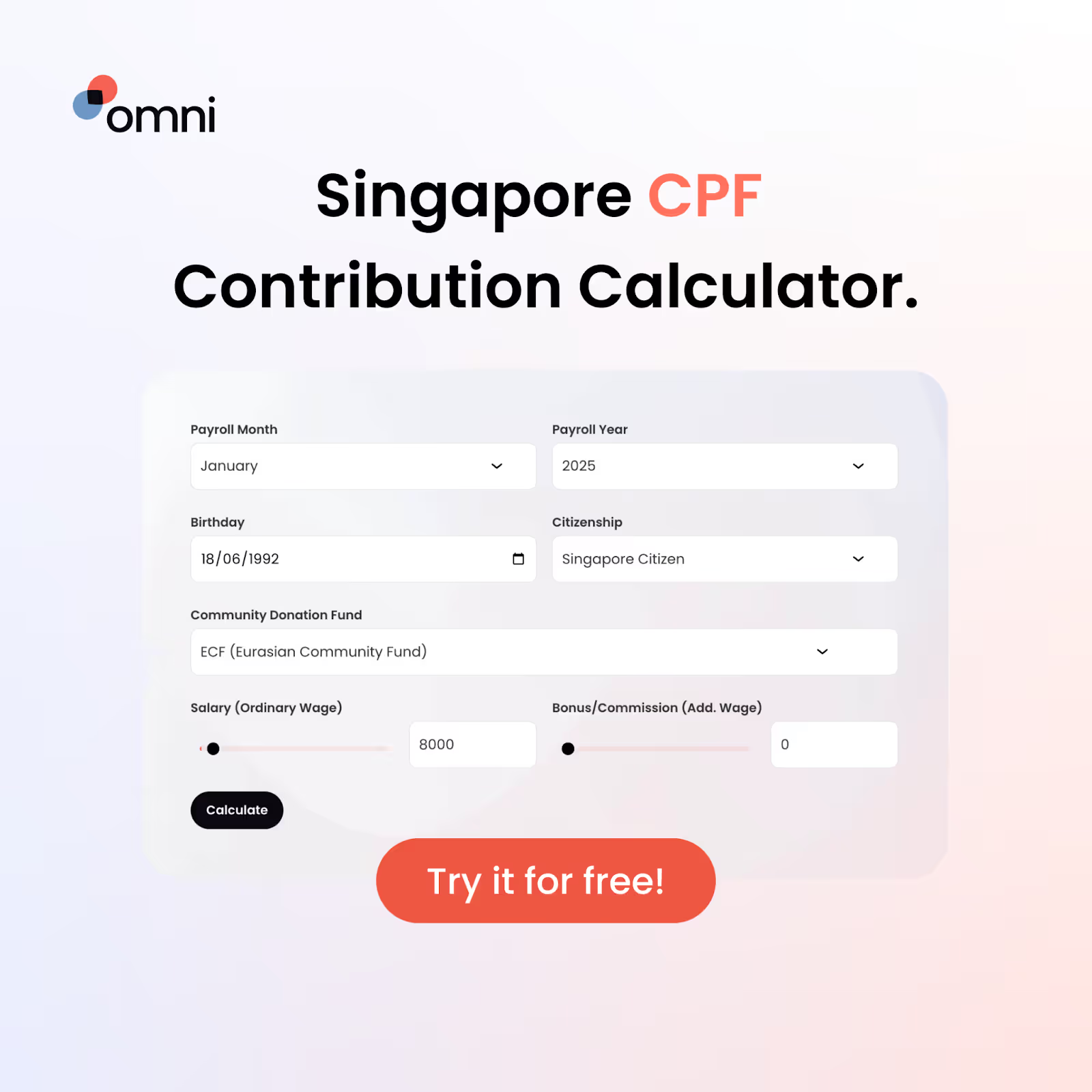
Finally, remember that CPF contributions remain mandatory during NS training. Employers must continue to contribute based on the NSmen’s civilian salary, according to CPF’s specified rates.
Read next: Singapore CPF Calculator Guide: Employer Payroll Tax, Rate Calculator & Part-Time Contributions
Common Pitfalls when Handling NS Pay
Misclassifying the NS period as leave or a non-NS period
NS period isn’t the same as annual or unpaid leave. Recording them incorrectly can cause your employee to lose their NS allowance. It can also lead to rejected reimbursement claims from MINDEF. Always classify NS periods accurately to ensure fair reimbursement, correct CPF calculations, and seamless compliance with OneNS regulations.
Missing the 14-day submission window/three-month claim cutoff
Timely submission is key to National Service Singapore compliance. Missing these deadlines can cause rejected claims, financial losses for your NSman employees, and compliance issues for your company. Over time, such oversights can lead to employee grievances, and in extreme cases, legal action and reputational damage—issues that would have been easily avoided with proper tracking and reminders.
Inaccurate payroll records or missing data
Since SAF pay is based on calculating working days, variable components, and prorated salaries, you need accurate details for correct calculations. Inaccurate or incomplete records, such as wrong salaries, incorrect overtime, and missing commissions, can lead to underpayment or overpayment. Maintaining up-to-date payroll data prevents compliance risks, employee dissatisfaction, and the extra workload of rectifying discrepancies.
Failure to monitor auto-generated MUPs and NS Portal data
If you don’t review your figures regularly, you may miss out on discrepancies like incorrect income details or CPF deductions, which can result in financial losses or compliance breaches.
A quick review helps ensure both your company and employees are accurately compensated.
Best Practices for NS Make-Up Pay
- Regular payroll audits: Double-check payroll data to reconcile auto-generated MUP details against existing records. This ensures accuracy and prevents reimbursement delays.
- Tag NS/ORNS periods in your payroll system to separate them from regular leave records. This prevents misclassification errors and helps you get accurate calculations without confusion.
- Assign responsibility: When roles are clearly defined, all hands will be on deck to ensure all NSF allowance tasks, including claim submissions and payroll adjustments, are executed compliantly without missing deadlines or overlooking errors.
- Always review claims before submission to catch errors, missing documents, or inaccurate payroll data. Taking a few extra minutes to double-check can save you from last-minute corrections, prevent reimbursement delays or rejections, and ensure your NSman employees are paid accurately and on time.
- Utilize HR software: Modern HR tools simplify payroll deductions and calculations by automating most of the process. They send timely alerts to help you meet submission deadlines and ensure every figure is accurate.
Frequently Asked Questions
1. What does NS Pay or NS Make-Up Pay cover?
NS Pay or NS Make-Up Pay covers the income an NSman loses from his civilian job while on National Service Singapore, so he doesn’t experience financial losses during his National Service.
2. Do all NSMen qualify for NS Make-Up Pay automatically?
No, NSmen only qualify for Make-Up Pay if they lose civilian income during NS activities and their training time overlaps with their working hours.
3. Who submits the NS Pay claim?
Either the NSman or his employer submits the claim.
4. When must the NS Make-Up Pay claim be submitted?
The NS Make-Up Pay claim must be submitted at least 14 days before training and no later than three months after the NSman receives his Service Pay.
5. How long does it take to receive NS Pay?
Payment typically takes ten working days from the start of the ORNS activity.
6. Does the employer still pay CPF contributions when NSMen are on duty?
Yes, employers must pay CPF contributions on behalf of employees based on their usual wages as though they weren’t on NS training.
7. What if my payroll system does not support NS Pay logic?
If your payroll system doesn’t support NS Pay logic, manually adjust salaries, allowances, and CPF contributions, and maintain proper records to avoid errors. But since this can be stressful, your best bet is to adopt a payroll system like Omni that integrates with Singaporean legal requirements, including CPF, IRAX, and NS allowance calculations.
8. Can I see the NS Pay or NS Make-Up Pay amounts beforehand?
Yes, you can view the automatically computed NS Pay or MUP amounts one month before the start of the ORNS activity via the “NSmen Payments” eService.
Streamline NS Pay Compliance with Omni
Managing NS Pay can be complex, especially when handling NSF Pay, NS allowance, and SAF Pay calculations while staying compliant with National Service Singapore regulations. Between reconciling Make-Up Pay, CPF contributions, and the multiple claim modes on the NS Portal Login, payroll teams often juggle too many moving parts.
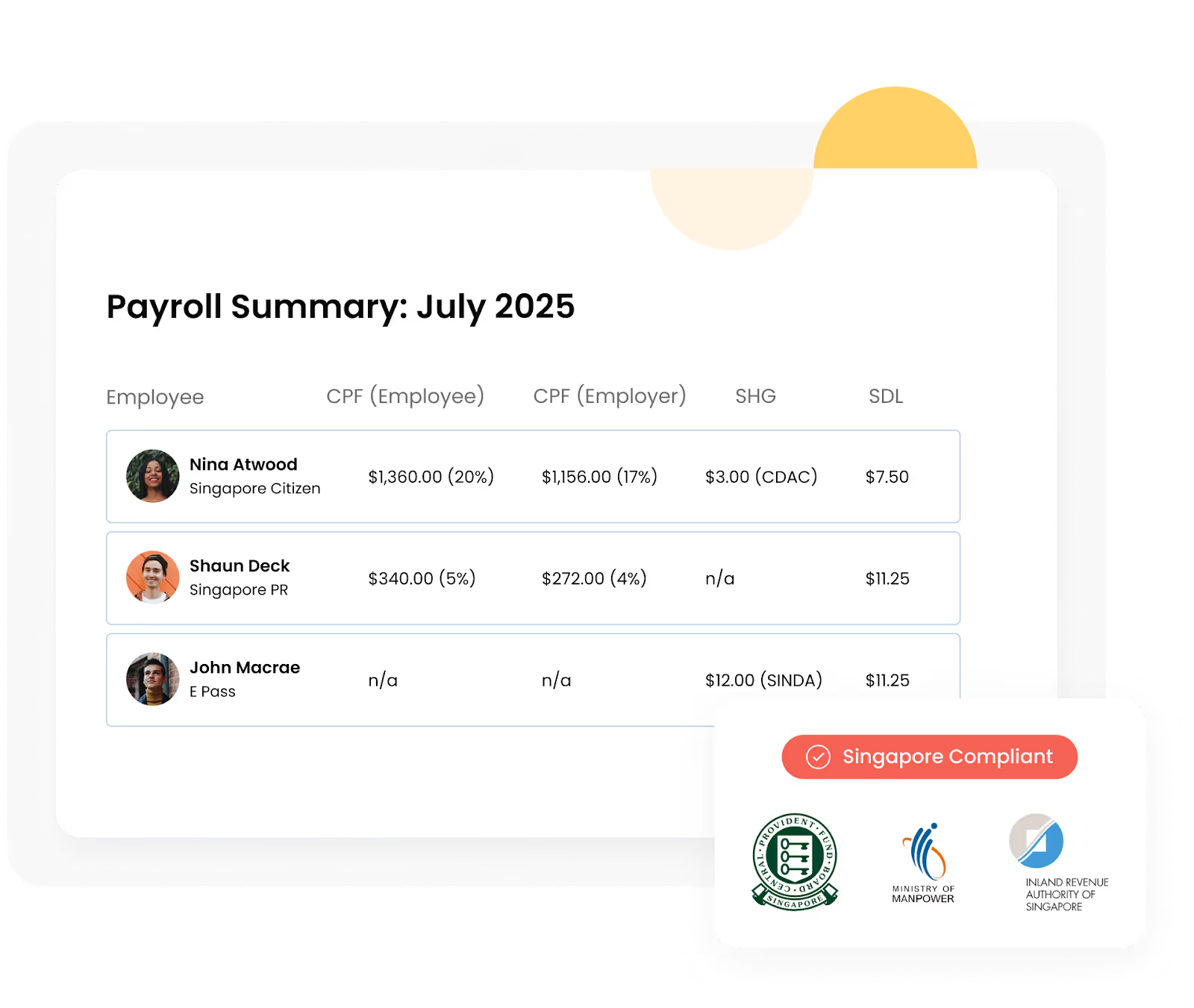
Omni simplifies compliance by automating every stage of NSF allowance and NS Pay management. Our system integrates seamlessly with CPF and tax filings, allowing for better data matching for NSmen and reservist activities tracked through OneNS. You can cross-check details from the NS calculator or IPPT calculator NS with Omni’s built-in payroll for complete accuracy.
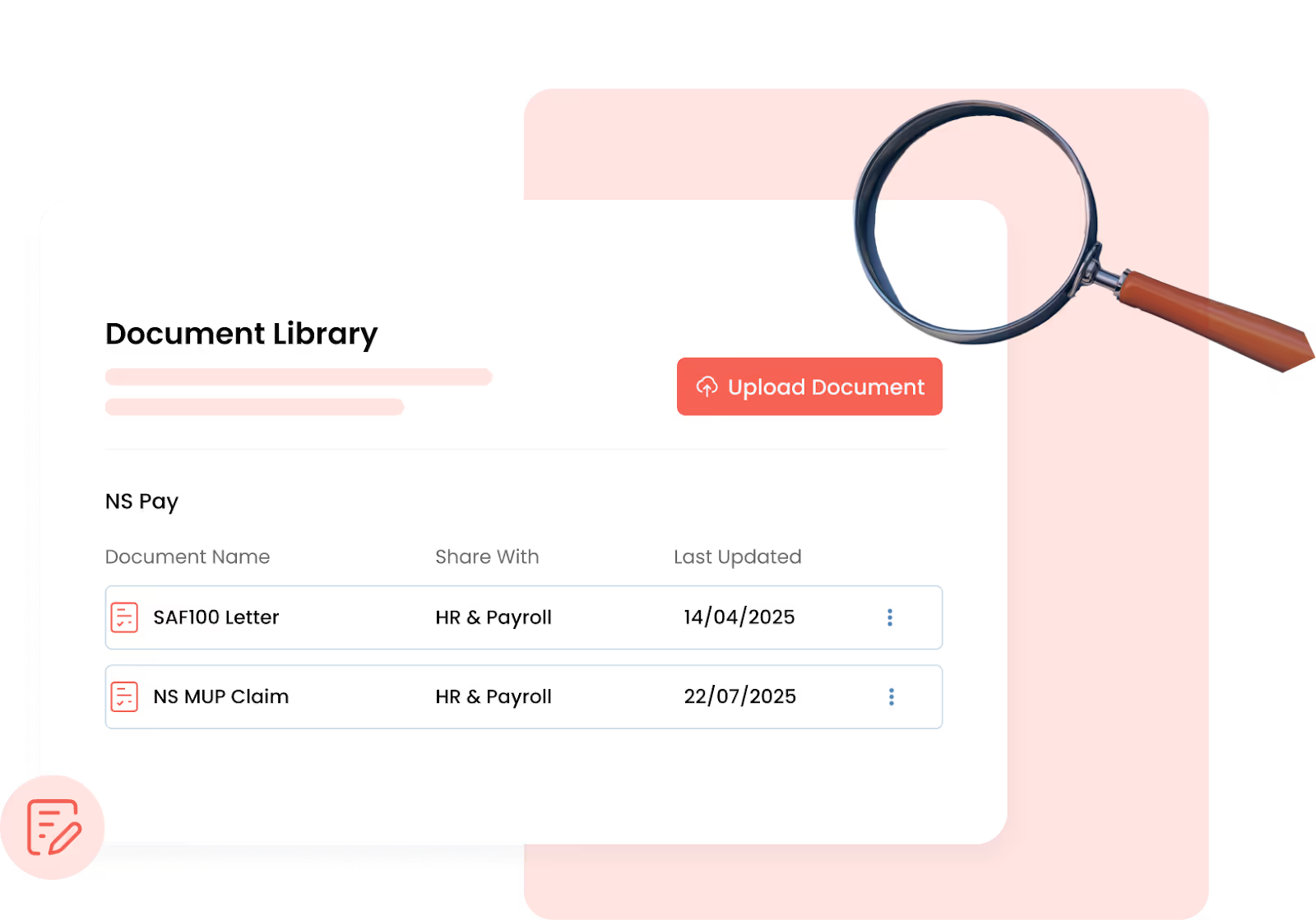
With secure document management and audit-ready reports, Omni keeps all employee and NSF pay records in one place, eliminating the need for manual spreadsheets, missed claim deadlines, and confusion over NS allowance calculations. Payroll compliance becomes smooth, efficient, and fully aligned with Singapore’s NS Pay requirements.
Explore how Omni helps HR teams streamline NS Pay, CPF, and payroll compliance. Book a demo with our team today!